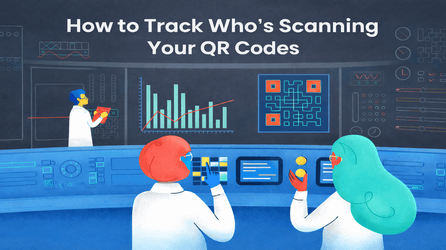
QR codes are everywhere—on posters, menus, business cards, packaging, and even billboards. But here’s the real question most businesses ask:
👉 Who is actually scanning my QR code?
👉 Is my QR code marketing really working?
Good news! With the right tools, you can track who’s scanning your QR codes, when, where, and how often—and it’s much easier than you think. Let’s break it down in a simple, friendly way.
Why Tracking QR Code Scans Matters
If you’re using QR codes for marketing, payments, events, or promotions, tracking scans helps you:
- Understand customer interest
- Measure campaign performance
- Know the best time and location for engagement
- Improve future marketing decisions
In short, tracking turns a basic QR code into a powerful marketing tool.
Can You Really Track Who Scans a QR Code?
Let’s be clear and honest
You cannot see personal details like names or phone numbers (privacy comes first 👍)
But with a dynamic QR code from QR Code Creator, you can track valuable insights such as:
- Scanner location (city/country)
- Device type (Android, iPhone, desktop)
- Date & time of scans
- Total number of scans
- Operating system & browser
That’s more than enough to understand user behavior and improve your strategy.
Static vs Dynamic QR Codes (Important!)
Static QR Codes
- No tracking available
- Fixed destination (can’t be changed)
- Best for personal or one-time use
Dynamic QR Codes (Best for Tracking)
- Full scan analytics
- Editable destination anytime
- Ideal for businesses & marketing
QR Code Creator offers powerful dynamic QR codes with built-in tracking and analytics.
How to Track QR Code Scans Using QR Code Creator
Follow these simple steps:
Step 1: Create a Dynamic QR Code
Sign up on QR Code Creator and generate a dynamic QR code for your website, PDF, menu, form, or payment link.
Step 2: Share or Print Your QR Code
Use it on flyers, posters, packaging, emails, social media, or anywhere your audience is.
Step 3: Track Scans in Real Time
Log in to your QR Code Creator dashboard to see:
- Total scans
- Scan trends over time
- Location and device data
- Campaign performance
No technical skills needed. It’s clean, visual, and beginner-friendly.
Real-Life Examples of QR Code Tracking
Restaurants: Track how many customers scan the digital menu
- Retail Stores: Measure offer or coupon scans
- Events: Know how many people checked event details
- Marketing Campaigns: Compare which poster or location performs better
With tracking, you’re no longer guessing—you’re deciding with data.
Tips to Get More QR Code Scans
- Place QR codes at eye level
- Add a clear CTA like “Scan to Get 20% Off”
- Use attractive design and branding
- Keep the landing page mobile-friendly
- Test your QR code before printing
Small changes can lead to big scan increases.
Why Choose QR Code Creator?
✔ Easy-to-use dashboard
✔ Real-time scan tracking
✔ Secure & reliable
✔ Editable dynamic QR codes
✔ Perfect for businesses, marketers & creators
QR Code Creator helps you go beyond scanning—it helps you understand your audience.
Final Thoughts
If you’re using QR codes and not tracking them, you’re missing valuable insights. With QR Code Creator, you can easily track scans, understand user behavior, and make smarter decisions—without complexity.
Start tracking today and turn every scan into actionable data.
Create your smart QR code with QR Code Creator and see who’s really scanning!
FAQs
Can I track who scans my QR code?
You cannot see personal details like names or phone numbers, but with QR Code Creator, you can track scan location, time, device type, and total scan count.
What type of QR code allows tracking?
Only dynamic QR codes allow scan tracking. Static QR codes do not provide analytics or editable options.
How does QR Code Creator track QR code scans?
QR Code Creator tracks scans through its analytics dashboard, showing real-time data such as scan count, location, device, and scan trends.
Is QR code tracking safe and legal?
Yes. QR code tracking is completely safe and privacy-friendly. It does not collect personal or sensitive user information.
Can I track QR code scans by location?
Yes. QR Code Creator allows you to scan locations such as country and city, helping you understand where your audience is coming from.