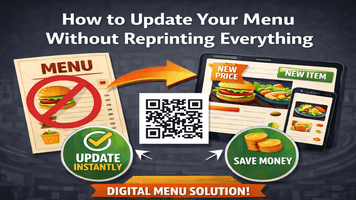
Updating a restaurant or café menu can quickly become expensive and stressful. Every small change—whether it’s a price update, a new dish, or removing an item—often means reprinting menus, wasting paper, and spending extra money. Luckily, modern technology offers a smarter, faster, and more cost-effective solution.
With Qr Code Creator, you can update your menu anytime without reprinting everything, while giving customers a smooth and modern dining experience.
Why Reprinting Menus Is No Longer Practical
Traditional printed menus come with several challenges:
- High recurring costs for design and printing
- Wasted menus when prices or items change
- Limited flexibility for seasonal or daily specials
- Slow updates, especially during busy hours
In today’s fast-moving food industry, restaurants need flexibility—and that’s where digital menus make a big difference.
The Smart Solution: QR Code–Based Digital Menus
A QR code menu allows customers to scan a code using their smartphone and instantly view your menu online. The biggest advantage?
👉 You update the menu online, and the QR code stays the same.
Using Qr Code Creator, you can create one QR code and keep using it forever, even when your menu changes.
How to Update Your Menu Without Reprinting Anything
1. Create a Digital Menu Using Qr Code Creator
Upload your menu to a digital format such as a web page or PDF. Once done, generate a QR code using Qr Code Creator and place it on tables, posters, or counters.
2. Edit Your Menu Anytime, Anywhere
Whenever you need to:
- Change prices
- Add new dishes
- Remove unavailable items
- Update descriptions or images
You simply edit the digital menu. Customers will see the updated version instantly after scanning the QR code.
3. Add Daily Specials and Seasonal Offers
Digital menus make it easy to highlight:
- Chef’s specials
- Festival menus
- Happy hour deals
- Limited-time offers
No extra printing, no confusion—just quick updates.
4. Share Your Menu Beyond the Restaurant
Your QR menu isn’t limited to tables:
- Share it on WhatsApp
- Add it to Google Business Profile
- Link it on Instagram bio
- Embed it on your website
This helps customers check your menu even before visiting.
Benefits of Updating Menus Digitally
✅ Save Money
Eliminate frequent printing costs and design changes.
✅ Save Time
Menu updates take minutes instead of days.
✅ Eco-Friendly
Reduce paper waste and support sustainability.
Better Customer Experience
Customers always see the latest menu with clear prices and items.
Contactless & Hygienic
Perfect for modern, health-conscious dining environments.
Why Choose Qr Code Creator?
Qr Code Creator makes digital menu management simple and reliable:
- Easy-to-use dashboard
- Editable QR codes (no need to reprint)
- Mobile-friendly menus
- Secure and fast loading
- Ideal for restaurants, cafés, food courts, and hotels
Whether you run a small café or a large restaurant, Qr Code Creator helps you stay flexible and professional.
Final Thoughts
Reprinting menus every time something changes is outdated and unnecessary. With QR code menus powered by Qr Code Creator, you gain full control over your menu—saving money, time, and effort.
If you want a smarter, faster, and modern way to manage your menu, switching to a digital menu is the best decision you can make today.
FAQs
- How can I update my menu without reprinting it?
You can update your menu without reprinting by using a QR code–based digital menu. With tools like Qr Code Creator, you simply edit your menu online, and customers instantly see the updated version after scanning the same QR code.
2. What is a QR code menu and how does it work?
A QR code menu is a digital menu accessible by scanning a QR code with a smartphone. The QR code links to your online menu, allowing real-time updates without printing new menus.
3. Is a digital menu better than a printed menu?
Yes. Digital menus are more cost-effective, eco-friendly, and flexible. They allow instant updates, reduce printing costs, and improve customer experience with always-accurate information.
4. Can I change prices and items anytime with a QR menu?
Absolutely. Using Qr Code Creator, you can update prices, add new items, or remove unavailable dishes anytime—without changing or reprinting the QR code.
5. Do customers need an app to scan a QR code menu?
No. Most smartphones can scan QR codes directly using the camera, making it quick and easy for customers to access your menu.