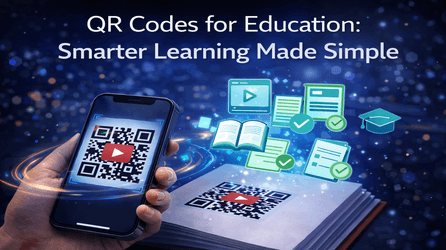
Education is evolving—and so is the way students access learning materials. QR Codes for Education are transforming classrooms, making learning faster, more interactive, and more accessible than ever before. With just one scan, students can instantly access lessons, videos, assignments, and resources—no typing, no confusion.
Using QR Code Creator, schools, colleges, and training institutes can create powerful QR codes that simplify teaching and boost student engagement both online and offline.
Why QR Codes Are a Game-Changer in Education
QR codes bridge the gap between physical classrooms and digital learning. Here’s why educators love them:
- Instant access to learning materials
- Paperless and eco-friendly
- Improves student engagement
- Works on any smartphone
- Easy to update and manage
With QR Code Creator, educators can create dynamic QR codes that are flexible, trackable, and future-ready.
Top Uses of QR Codes in Education
- Quick Access to Study Materials
Place QR codes in textbooks, worksheets, or classroom walls to link students directly to:
- Lecture notes
- PDFs and eBooks
- Recorded classes
- Online resources
One scan = instant learning.
2. Video-Based Learning
Link QR codes to YouTube or LMS videos for:
- Concept explanations
- Homework tutorials
- Revision sessions
QR Code Creator ensures videos open instantly without broken links.
3. Assignments & Assessments
Share assignments, quizzes, or Google Forms using QR codes:
- Faster distribution
- Zero manual errors
- Easy submission tracking
Perfect for schools and coaching centers.
4. Classroom & Campus Information
Use QR codes for:
- Class schedules
- Exam timetables
- Event updates
- Campus maps
Dynamic QR codes allow updates without reprinting.
5. Attendance & Feedback
Track attendance or collect feedback effortlessly:
- Scan to mark attendance
- Scan to submit feedback
- Scan to rate classes
With QR Code Creator, you also get scan analytics for better insights.
Static vs Dynamic QR Codes for Education
Using dynamic QR codes from QR Code Creator gives educators more control:
- Edit links anytime
- Track scan activity
- Improve engagement using analytics
- Ideal for long-term academic use
Static QR codes are best only for one-time use.
Benefits of Using QR Code Creator for Education
✔ Easy to create and customize
✔ Student-friendly scanning
✔ Scan tracking & analytics
✔ Secure and reliable links
✔ Perfect for schools, colleges & e-learning platforms
Whether you’re teaching in a classroom or online, QR Code Creator helps you deliver knowledge smarter.
Final Thoughts
QR codes are no longer optional in education—they’re essential. From interactive lessons to instant information sharing, QR Codes for Education simplify learning and empower educators.
Start creating smarter classrooms today with QR Code Creator—because education deserves innovation.
Frequently Asked Questions (FAQs)
- What are QR Codes for Education?
QR Codes for Education allow teachers and institutions to share digital learning content like notes, videos, assignments, and attendance links instantly through a simple scan.
2. How can QR codes improve classroom learning?
QR codes make learning faster and more interactive by giving students instant access to resources, reducing paperwork, and improving engagement both online and offline.
3. Can QR codes be used for online classes?
Yes! QR codes can link to online classes, recorded lectures, Google Meet links, YouTube videos, and learning platforms, making remote learning seamless.
4. Are QR codes safe for students?
Absolutely. With QR Code Creator, all QR codes are secure, reliable, and can be updated anytime without changing the printed code.
5. What is the difference between static and dynamic QR codes in education?
Static QR codes cannot be edited or tracked. Dynamic QR codes from QR Code Creator allow link editing, scan tracking, and performance analytics—ideal for schools and colleges.