In today’s digital world, businesses need smarter ways to connect with customers and gather reviews. One powerful tool that helps restaurants, hotels, cafes, and travel businesses is a TripAdvisor QR Code. By scanning a simple QR code, customers can instantly visit your TripAdvisor page, leave reviews, and explore your business online.
With QR Code Creator, generating a TripAdvisor QR code is quick, simple, and highly effective for boosting online visibility and customer engagement.
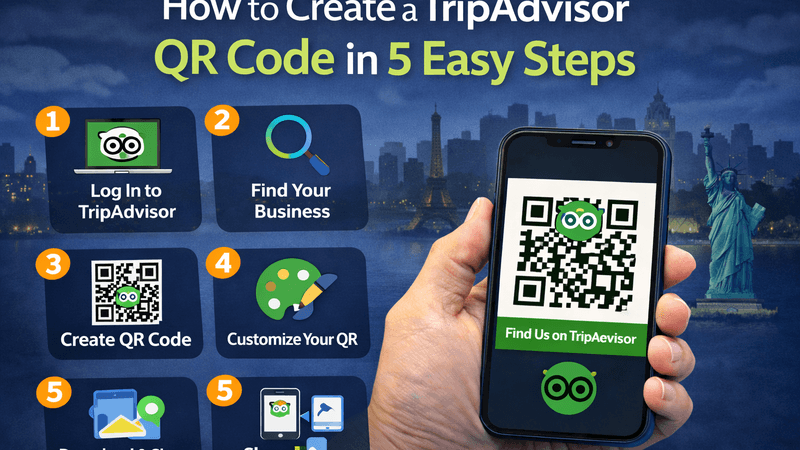
In this guide, we will explain how to create a TripAdvisor QR code in 5 easy steps.
Also Read: Promote Sales with QR Codes: A Strategic Approach
What is a TripAdvisor QR Code?
A TripAdvisor QR Code is a scannable code that directs users straight to your TripAdvisor profile or review page. Customers simply scan the code using their smartphone camera and instantly access your business listing.
This makes it easier for customers to:
- Leave reviews
- Check ratings
- View photos
- Learn more about your business
Using QR codes helps businesses collect more positive reviews and improve their online reputation.
Also Read: QR Code Scams: The Dark Side of Convenience
How to Create a TripAdvisor QR Code in 5 Easy Steps
Step 1: Copy Your TripAdvisor Business URL
First, open your TripAdvisor business page and copy the URL link of your listing or review page. This is the link customers will access when they scan your QR code.
Step 2: Visit QR Code Creator
Go to QR Code Creator, a simple and powerful platform that helps businesses generate professional QR codes for marketing and customer engagement.
Step 3: Paste the TripAdvisor Link
Paste your copied TripAdvisor URL into the QR code generator field. The system will automatically convert the link into a scannable QR code.
Step 4: Customize Your QR Code
With QR Code Creator, you can customize your QR code to match your brand. You can:
- Add colors
- Include your logo
- Choose different QR styles
- Adjust frame and design
A visually appealing QR code encourages more customers to scan it.
Step 5: Download and Use Your QR Code
Once your QR code is ready, simply download it and start using it across your business materials such as:
- Restaurant tables
- Hotel reception desks
- Menus and brochures
- Flyers and posters
- Product packaging
- Business cards
Customers can scan the code and instantly leave reviews on TripAdvisor.
Also Read: How to Use QR Codes in Spas, Salons, and Wellness Centers
Benefits of Using TripAdvisor QR Codes
1. Increase Customer Reviews
QR codes make it easy for customers to quickly access your review page and share their experience.
2. Improve Online Reputation
More positive reviews improve your ranking and credibility on TripAdvisor.
3. Enhance Customer Engagement
QR codes create a seamless connection between offline locations and your online presence.
4. Boost Business Visibility
Better reviews help your business appear higher in TripAdvisor search results.
Best Places to Use TripAdvisor QR Codes
You can place QR codes in strategic locations such as:
- Restaurant tables
- Hotel rooms
- Checkout counters
- Menus
- Travel brochures
- Event booths
This encourages customers to scan and leave feedback instantly.
Also Read: How to Use QR Codes to Elevate Your Sustainable Advertising
Final Thoughts
Creating a TripAdvisor QR code is a simple yet powerful way to increase reviews, improve customer engagement, and strengthen your online presence. By using QR Code Creator, businesses can generate professional and customizable QR codes in just a few steps.
Start using TripAdvisor QR codes today and make it easier for customers to discover and review your business.