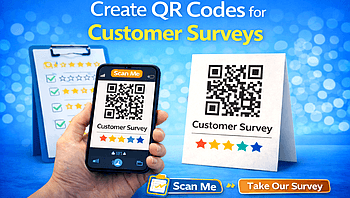
Customer feedback is the key to business growth. If you want to understand what your customers truly think, surveys are one of the best tools. But asking customers to visit long links or fill out forms later rarely works.
That’s where QR codes for customer surveys make everything easier.
With QR Code Creator IO, you can create smart, scannable QR codes that instantly connect customers to your feedback form in seconds.
Also Read: Promote Sales with QR Codes: A Strategic Approach
Why Use QR Codes for Customer Surveys?
QR codes remove friction. Instead of typing a long URL, customers simply:
- Open their phone camera
- Scan the QR code
- Instantly access your survey
It’s fast, simple, and increases response rates dramatically.
Also Read: QR Code Scams: The Dark Side of Convenience
Key Benefits:
- ✅ Higher survey participation
- ✅ Contactless & convenient
- ✅ Works on packaging, receipts, tables, posters
- ✅ Instant access to Google Forms or feedback pages
- ✅ Trackable results
Also Read: How to Use QR Codes in Spas, Salons, and Wellness Centers
How to Create QR Codes for Customer Surveys
Creating a survey QR code is simple with QR Code Creator IO.
Step 1: Create Your Survey
Build your survey using tools like:
- Google Forms
- Typeform
- Microsoft Forms
- Your website feedback page
Copy the survey link once ready.
Also Read: How to Use QR Codes to Elevate Your Sustainable Advertising
Step 2: Generate Your QR Code
Go to QR Code Creator IO and:
- Paste your survey link
- Customize the QR design
- Add your logo
- Choose colors that match your brand
- Download in high-quality format
Also Read: Facebook QR Codes Explained: The Ultimate Marketing Strategy for 2026
Step 3: Print or Share
Place your QR code on:
- Restaurant tables
- Retail billing counters
- Product packaging
- Event booths
- Email campaigns
- Social media
Also Read: Why Smart Businesses Use WhatsApp QR Codes for Faster Customer Support
Best Places to Use Survey QR Codes
Here are smart ways businesses use them:
Retail Stores
Add QR codes to receipts asking for feedback about service.
Restaurants & Cafés
Place QR codes on tables to collect food and service reviews.
Hotels
Ask guests for feedback at checkout.
E-commerce Brands
Include QR codes inside packages for product reviews.
Events & Exhibitions
Capture real-time feedback instantly.
Also Read: Why Smart Businesses Use WhatsApp QR Codes for Faster Customer Support
Tips to Increase Survey Responses
To get better results:
- Keep surveys short (5–7 questions)
- Offer small incentives (discount or coupon)
- Add a call-to-action like:
- “Scan & Win”
- “Your Feedback Matters”
- “Help Us Improve”
- “Scan & Win”
Clear instructions increase scans.
Also Read:Google Maps QR Codes for Local Business: A Smart Way to Get More Customers
Why Choose QR Code Creator IO?
With QR Code Creator IO, you get:
- Easy QR code generation
- Custom design options
- Trackable QR codes
- Mobile-friendly output
- Fast download in HD quality
Whether you're a small business or large brand, we make feedback collection simple.
Final Thoughts
Customer surveys help you improve products, services, and customer experience. By using QR codes, you remove barriers and make feedback instant and effortless.
Start creating smart survey QR codes today with QR Code Creator IO and turn customer feedback into business growth.