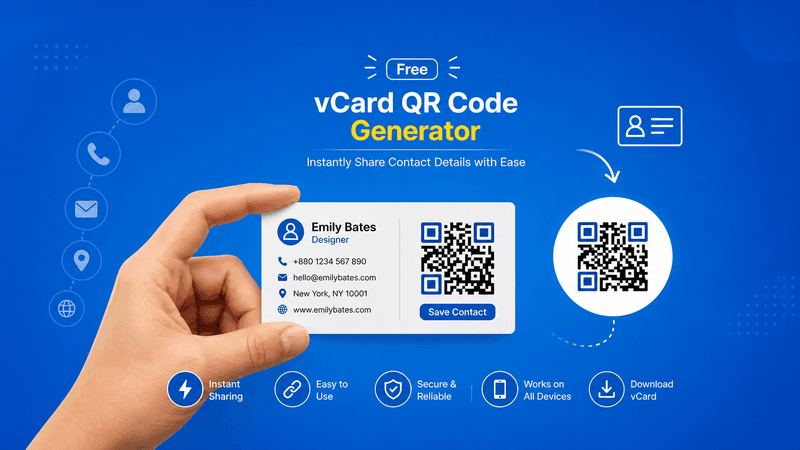
In today’s digital-first world, sharing contact information quickly and professionally is essential for businesses, freelancers, entrepreneurs, and professionals. Traditional business cards are useful, but they can be lost, damaged, or forgotten. This is why many people now prefer using a Free vCard QR Code Generator for faster and smarter contact sharing.
A vCard QR code allows users to save your contact details directly to their smartphone by simply scanning a QR code. No manual typing, no errors, and no wasted time. It is one of the most efficient ways to share phone numbers, email addresses, websites, company details, and social media profiles.
If you are looking for the best Free vCard QR Code Generator, QR Code Creator provides a simple, fast, and professional solution for creating high-quality QR codes for contact sharing.
Also Read: Free UPI QR Code Generator Online – Digital Inspiration for Easy Payments
What is a vCard QR Code?
A vCard QR code is a special QR code that stores contact information digitally. When someone scans the code using their mobile phone camera, they can instantly save your details to their phone contacts.
It can include:
- Full Name
- Mobile Number
- Email Address
- Company Name
- Job Title
- Website URL
- Business Address
- Social Media Links
- Profile Photo (optional)
This makes networking much easier and more professional.
Also read: Best Free QR Code Generator: Why It Matters in 2026
Why Use a Free vCard QR Code Generator?
Using a vCard QR code offers many benefits for both personal and business use.
Key Benefits:
- Instant Contact Sharing
Users can save your contact details with just one scan.
- No Manual Typing Errors
Avoid mistakes caused by typing long phone numbers or email addresses.
- Professional Networking
Makes your business card modern, smart, and impressive.
- Better Customer Experience
Clients and customers prefer fast and easy access to contact information.
- Easy to Use Anywhere
You can place vCard QR codes on business cards, email signatures, brochures, websites, resumes, and social media profiles.
Also Read: How To Create Your Own QR Code? A Step-by-Step Guide for 2026!
How to Use a Free vCard QR Code Generator
Creating your vCard QR code is simple and takes only a few minutes.
Step-by-Step Process:
Step 1: Enter Your Contact Information
Add your name, phone number, email, company details, and website.
Step 2: Customize Your QR Code
Choose colors, frame style, and branding options if needed.
Step 3: Generate the QR Code
Click the generate button to create your vCard QR code instantly.
Step 4: Download Your QR Code
Download it in high-quality PNG, JPG, or SVG format.
Step 5: Use It Everywhere
Add it to business cards, marketing materials, packaging, and online profiles.
Also Read: Free vCard QR Code Generator: Create Digital Business Cards in 2026
Best Uses of vCard QR Codes
For Businesses
- Business cards
- Company brochures
- Sales presentations
- Product catalogs
For Freelancers
- Resume sharing
- Portfolio links
- Proposal documents
For Real Estate Agents
- Property brochures
- Visiting cards
- Client follow-up materials
For Doctors and Consultants
- Clinic cards
- Appointment reminders
- Professional profiles
For Events and Networking
- Conferences
- Trade shows
- Business expos
- Professional meetups
Also Read: Are Self Hosted QR Code Generators Worth It in 2026?
Why Choose QR Code Creator?
If you want the best Free vCard QR Code Generator, QR Code Creator offers everything you need.
Features Include:
- Free vCard QR code generation
- High-quality downloads
- Custom branding options
- Mobile-friendly scanning
- Fast and secure processing
- Easy user interface
- No technical skills required
We help professionals and businesses create smart QR solutions for better networking and customer engagement.
Also Read: How to Use QR Code on Prescription to Guide Patients
SEO and Marketing Benefits of vCard QR Codes
vCard QR codes improve both offline and online marketing by making contact sharing seamless. They increase engagement, improve lead generation, and make follow-up communication faster.
Businesses using vCard QR codes often see better customer response and stronger brand professionalism.
Also Read: How to Use QR Code on Prescription to Guide Patients
Conclusion
Using a Free vCard QR Code Generator is one of the smartest ways to modernize contact sharing. It saves time, improves networking, reduces errors, and creates a professional brand impression.
Whether you are a business owner, freelancer, consultant, student, or job seeker, vCard QR codes make sharing contact details simple and effective.
Start today with QR Code Creator and generate your free vCard QR code in minutes—fast, secure, and professional.