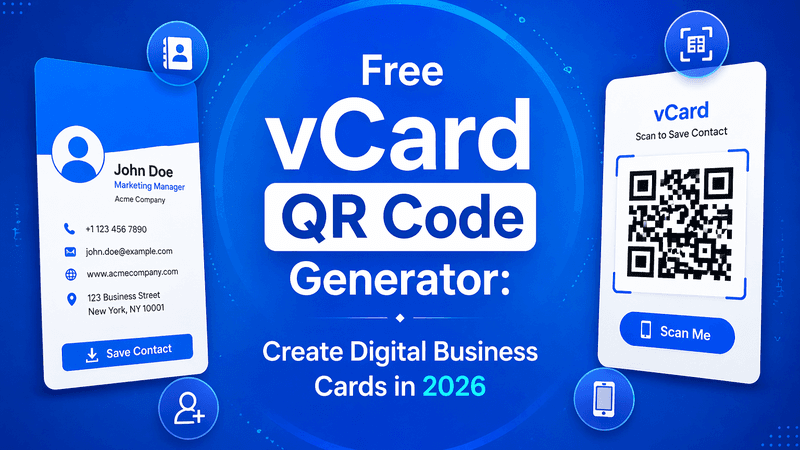
In 2026, networking has gone digital—and traditional paper business cards are quickly being replaced by smarter solutions. One of the most effective tools today is a vCard QR code generator, which allows you to share your contact details instantly with just a scan.
If you’re looking for a simple, modern, and eco-friendly way to connect, a free vCard QR code generator is the perfect solution. In this blog, we’ll explore how it works, its benefits, and how you can create your own digital business card easily.
Also Read: Are Self Hosted QR Code Generators Worth It in 2026?
What is a vCard QR Code?
A vCard QR code is a type of QR code that stores your contact information. When someone scans it, they can instantly save your details—like name, phone number, email, and website—directly to their smartphone.
Information You Can Include
- Full Name
- Phone Number
- Email Address
- Company Name
- Website URL
- Social Media Links
- Address
This makes sharing contact details faster and more professional.
Also Read: How to Use QR Code on Prescription to Guide Patients
Why Use a Free vCard QR Code Generator in 2026?
With digital transformation growing rapidly, using QR codes for contact sharing is becoming the new standard.
Key Reasons to Use vCard QR Codes
- Instant Sharing: No typing required
- Contactless Networking: Perfect for modern interactions
- Eco-Friendly: Reduces paper usage
- Professional Image: Creates a smart impression
- Easy Updates: Change details without reprinting cards (for dynamic QR codes)
Also Read: How QR Codes on Equipment Reduce Maintenance Downtime
Benefits of Using a Free vCard QR Code Generator
Using a free tool can offer great value, especially for individuals and small businesses.
1. Cost-Effective Solution
You can create digital business cards without spending money.
- Easy to Use
Most tools are simple and require no technical knowledge.
2. Customization Options
Add logos, colors, and designs to match your personal or business branding.
3. Instant Access Anywhere
Share your QR code via email, social media, or print it on marketing materials.
4. Time-Saving
No need to manually enter contact details—everything is saved instantly.
Also Read: Clickable QR Codes: All You Need to Know
How to Create a vCard QR Code (Step-by-Step)
Creating a digital business card is quick and easy.
H3: Follow These Steps
- Choose a reliable vCard QR code generator
- Enter your contact details
- Customize the design (colors, logo, style)
- Generate the QR code
- Download and share it
Within minutes, your digital business card is ready to use.
Also Read: Floating QR Code: What It Is and How to Add One to Your Website
Tips to Make Your vCard QR Code More Effective
To get the best results, follow these practical tips:
- Keep your information clear and accurate
- Use a high-contrast design for easy scanning
- Add your brand logo for a professional look
- Test your QR code before sharing
- Use dynamic QR codes for easy updates
These small steps can improve your networking experience significantly.
Use Cases of vCard QR Codes
vCard QR codes can be used in many situations:
Popular Use Cases
- Business meetings and conferences
- Networking events
- Email signatures
- Visiting cards and brochures
- Social media profiles
They make sharing contact details seamless and efficient.
Also Read: Google Drive QR Code: The Smartest Way to Share Files Instantly | QR Code Creator
Why Choose QR Code Creator?
When it comes to generating QR codes, choosing the right platform matters. QR Code Creator provides a simple and reliable way to create high-quality vCard QR codes.
With user-friendly features and easy customization, QR Code Creator helps individuals and businesses create professional digital business cards effortlessly.
Also Read: Promote Sales with QR Codes: A Strategic Approach
Conclusion
In 2026, digital networking is more important than ever. A free vCard QR code generator is a smart, efficient, and modern way to share your contact information.
It saves time, reduces paper usage, and creates a professional impression. Whether you are a business owner, freelancer, or professional, adopting this technology can help you stay ahead.
Start using vCard QR codes today and make your networking faster and smarter.
Also Read: How to Get QR Code for Facebook Page (Easy Step-by-Step Guide)
FAQs – Free vCard QR Code Generator
Q1: What is a vCard QR code used for?
It is used to share contact details instantly by scanning a QR code.
Q2: Is a free vCard QR code generator reliable?
Yes, many free tools offer reliable and easy-to-use features for basic needs.
Q3: Can I update my QR code later?
If you use a dynamic QR code, you can update your details anytime.
Q4: Do I need technical skills to create one?
No, most vCard QR code generators are simple and beginner-friendly.
Q5: Where can I use my vCard QR code?
You can use it on business cards, emails, websites, and social media profiles.