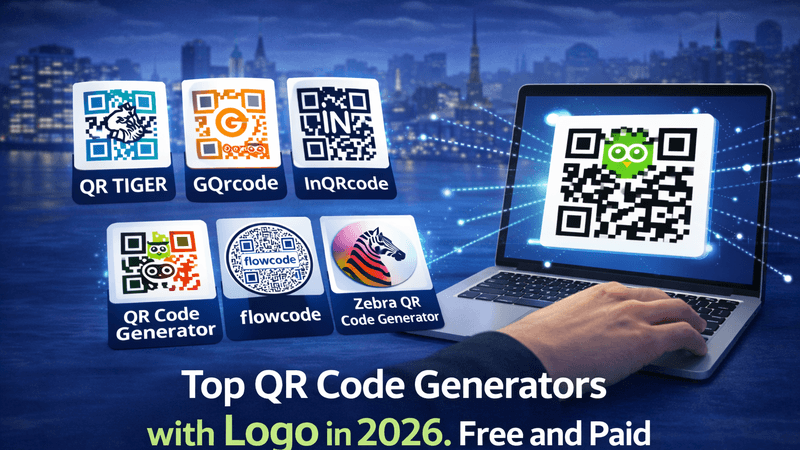
QR codes have become an essential tool for businesses, marketers, and individuals. From digital payments to website sharing and product promotions, QR codes make everything faster and more convenient. In 2026, QR code generators have evolved with advanced features like logo integration, customization, analytics, and more.
If you are looking for the best QR code generators with a logo in 2026, this guide will help you explore both free and paid options, along with their benefits and practical tips.
Also Read: How to Create a TripAdvisor QR Code in 5 Easy Steps
Why Use QR Code Generators with Logo?
Adding a logo to your QR code is more than just design—it builds trust and strengthens brand identity.
Key Benefits:
- Brand Recognition: A logo makes your QR code easily identifiable
- Professional Look: Custom QR codes look more polished
- Higher Scan Rates: Attractive designs encourage users to scan
- Versatility: Use across marketing materials, packaging, and digital platforms
Also Read: Promote Sales with QR Codes: A Strategic Approach
Top Free QR Code Generators with Logo in 2026
If you’re on a budget, these free tools offer great features to create branded QR codes.
1. QR Code Generator (Free Version)
- Allows basic logo upload
- Multiple QR code types (URL, text, email, etc.)
- Simple and beginner-friendly interface
2. Canva QR Code Generator
- Easy integration with designs
- Basic customization and logo addition
- Ideal for social media creatives
3. QRStuff
- Supports multiple data formats
- Offers color customization
- Limited logo features in free plan
Also Read: QR Code Scams: The Dark Side of Convenience
Top Paid QR Code Generators with Logo in 2026
Paid tools provide advanced customization, analytics, and dynamic QR codes.
1. QR Code Creator (Recommended)
A powerful and user-friendly platform, QR Code Creator offers advanced features for businesses and individuals.
Key Features:
- High-quality logo integration
- Dynamic QR codes (editable anytime)
- Advanced tracking and analytics
- Custom colors, shapes, and frames
- Download in high-resolution formats
This tool is perfect for those who want professional QR codes with strong branding and performance tracking.
2. Beaconstac
- Enterprise-level QR solutions
- Advanced analytics and campaign tracking
- Bulk QR code generation
3. Scanova
- Dynamic QR codes
- Custom branding options
- API integration for businesses
4. QR TIGER
- Modern designs with logo support
- Editable QR codes
- Real-time scan tracking
Also Read: How to Use QR Codes to Elevate Your Sustainable Advertising
Features to Look for in a QR Code Generator
When choosing the right tool, consider these important features:
Must-Have Features:
- Logo integration
- Custom design options
- High-resolution downloads
- Mobile-friendly interface
Advanced Features:
- Dynamic QR codes
- Scan analytics
- Bulk generation
- API access
Free vs Paid QR Code Generators: Which One to Choose?
Free Tools Are Best For:
- Personal use
- Small projects
- Beginners
Paid Tools Are Best For:
- Businesses and marketing campaigns
- Branding and customization
- Performance tracking
👉 If you want long-term flexibility and professional results, investing in a paid tool like QR Code Creator is a smart choice.
Also Read: How to Use QR Codes in Spas, Salons, and Wellness Centers
Tips to Create Effective QR Codes with Logo
To get the best results, follow these simple tips:
- Keep the design simple: Avoid overloading colors
- Ensure readability: Maintain proper contrast
- Test before using: Scan from different devices
- Use high-quality logos: Avoid pixelated images
- Add a call-to-action: Example – “Scan Me”
Common Use Cases of QR Codes in 2026
QR codes are widely used across industries:
- Marketing campaigns
- Restaurant menus
- Event registrations
- Digital payments
- Product packaging
Also Read: Why Smart Businesses Use WhatsApp QR Codes for Faster Customer Support
Conclusion
QR codes are no longer just black-and-white squares—they are powerful branding and marketing tools. In 2026, using a QR code generator with a logo can significantly improve your brand visibility and user engagement.
Whether you choose a free tool for basic needs or a premium platform like QR Code Creator for advanced features, the key is to focus on design, usability, and performance. Investing in the right QR code solution can help you stand out and connect better with your audience.
FAQs
1. Can I add a logo to a QR code for free?
Yes, many free QR code generators allow basic logo integration, but advanced customization may require a paid plan.
2. Are QR codes with logos scannable?
Yes, as long as the design maintains proper contrast and spacing, QR codes with logos work perfectly.
3. What is a dynamic QR code?
A dynamic QR code allows you to edit the content even after creating the code, without changing the QR design.
4. Which is the best QR code generator in 2026?
Tools like QR Code Creator, Beaconstac, and Scanova are among the top choices for advanced features and branding.
5. Do QR codes expire?
Static QR codes do not expire, but dynamic QR codes may depend on your subscription plan.