Introduction
Sharing files quickly and easily has become essential in today’s digital world. Whether you're a student, business professional, or content creator, sending links manually can sometimes be inconvenient. This is where a Google Drive QR Code becomes a game-changer.
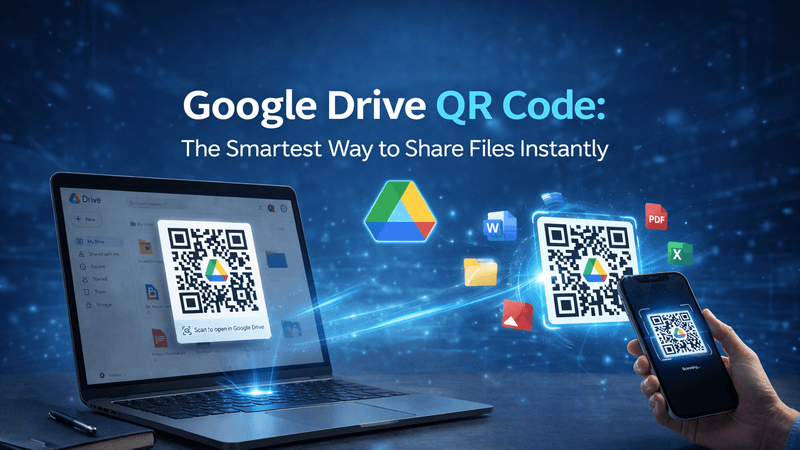
A Google Drive QR code allows you to instantly share files, folders, documents, images, or videos with just a scan. In this blog, we’ll explore why using a Google Drive QR Code is the smartest way to share files instantly, along with its benefits, uses, and how you can create one easily.
Also Read: Dynamic QR Code for YouTube – Smarter Video Sharing Made Easy
What is a Google Drive QR Code?
A Google Drive QR Code is a scannable code that links directly to your Google Drive file or folder. Instead of copying and pasting long URLs, users can simply scan the QR code using their smartphone and access the content immediately.
Why Use a Google Drive QR Code for File Sharing?
1. Instant Access
With a quick scan, users can open your file without typing or searching for links.
2. Easy to Share Anywhere
You can place your QR code on:
- Posters
- Business cards
- Emails
- Websites
- Presentations
3. Saves Time and Effort
No need to send links repeatedly—just share one QR code and let users scan it anytime.
4. Contactless Sharing
Perfect for modern, contact-free environments like events, offices, and classrooms.
5. Mobile-Friendly
Most smartphones today support QR code scanning, making access seamless.
Also Read: Create QR Code with Logo – Build Trust, Branding & Higher Engagement
Key Benefits of Google Drive QR Codes
Using a Google Drive QR Code offers several advantages:
- Faster file sharing
- Secure access (based on your Drive permissions)
- Works on all smartphones
- Share globally without limitations
- Ideal for both personal and professional use
Also Read: How Businesses Use QR Code Tracking to Increase Conversions
How to Create a Google Drive QR Code
Creating a Google Drive QR code is simple and takes only a few steps:
Step 1: Upload Your File to Google Drive
Add your document, image, video, or folder to your Google Drive account.
Step 2: Generate a Shareable Link
Click on “Share” and copy the link. Make sure the access settings are set to “Anyone with the link can view” (if needed).
Step 3: Use a QR Code Generator
Visit a reliable platform like QR Code Creator to generate your QR code.
Step 4: Paste the Link
Paste your Google Drive link into the QR code generator.
Step 5: Customize and Download
Customize the design if needed and download your QR code.
Also Read: Why Your Restaurant’s Paper Menu Is Costing You Money
Practical Uses of Google Drive QR Codes
For Students & Teachers
- Share notes, assignments, and study materials
- Distribute resources during lectures
For Businesses
- Share presentations and reports
- Provide product catalogs or brochures
For Events
- Share event photos and videos
- Provide schedules or guides
For Marketing
- Link to downloadable content
- Share portfolios or case studies
Also Read: How to Create a QR Code That Actually Gets Scanned
Tips to Use Google Drive QR Codes Effectively
To get the best results, follow these practical tips:
- Ensure your file permissions are set correctly
- Use high-quality QR codes for better scanning
- Place QR codes where they are easily visible
- Test the QR code before sharing
- Customize the design to match your brand
Why Choose QR Code Creator?
When it comes to generating reliable and high-quality QR codes, QR Code Creator is a trusted solution. It offers:
- Easy and fast QR code generation
- Custom design options
- High-resolution downloads
- User-friendly interface
With QR Code Creator, you can create professional QR codes in seconds and enhance your file-sharing experience.
Also Read: QR Codes for Education: Smarter Learning Made Simple
Conclusion
A Google Drive QR Code is truly the smartest way to share files instantly in today’s fast-paced digital environment. It simplifies access, saves time, and enhances user experience across various use cases.
Whether you’re sharing educational content, business documents, or personal files, QR codes make the process seamless and efficient. Start using this smart solution today with QR Code Creator and transform the way you share files!
FAQs
1. Is a Google Drive QR Code free to create?
Yes, you can create a Google Drive QR code for free using most QR code generators.
2. Can I update the file after creating the QR code?
Yes, if you update the file in Google Drive, the QR code will still link to the updated version.
3. Is it safe to share files using QR codes?
Yes, as long as you manage your Google Drive sharing permissions properly.
4. Do users need an app to scan QR codes?
Most smartphones have built-in QR code scanners, so no extra app is needed.
5. Where can I create a Google Drive QR code easily?
You can use platforms like QR Code Creator to generate and customize your QR codes quickly.