Introduction
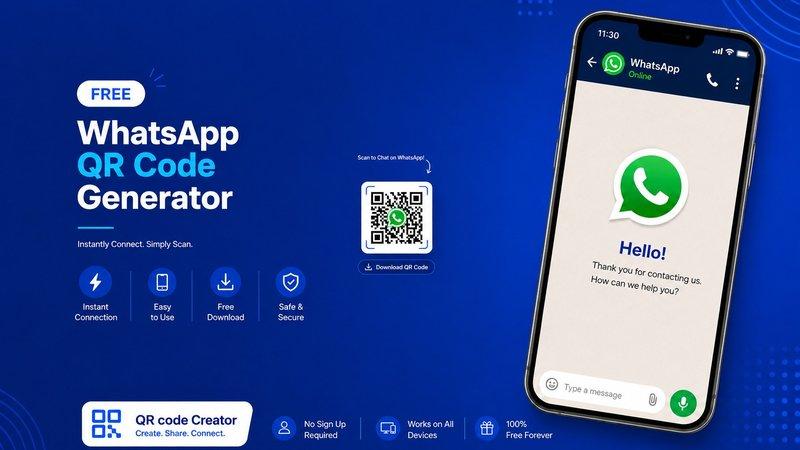
In today’s digital world, businesses and individuals are always looking for faster and smarter ways to connect with customers. One of the easiest tools for instant communication is a Free WhatsApp QR Code Generator. With a simple scan, users can directly open a WhatsApp chat without saving a phone number manually.
Whether you are a business owner, freelancer, online seller, or content creator, WhatsApp QR codes can improve communication and customer engagement. They are easy to create, easy to share, and highly effective for marketing.
At QR code Creator, users can quickly generate customized WhatsApp QR codes for personal or business use without any technical skills.
Also Read: Use QR Code Generator Email for Free | Complete Guide by QR Code Creator
What is a Free WhatsApp QR Code Generator?
A Free WhatsApp QR Code Generator is an online tool that creates a unique QR code linked directly to your WhatsApp number or chat link. When someone scans the QR code using their smartphone camera, they are instantly redirected to a WhatsApp conversation with you.
This removes the need to type phone numbers manually and makes communication faster and more convenient.
Also Read: Free QR Code Generator for Phone Numbers | Easy Contact Sharing with QR Code Creator
Why WhatsApp QR Codes Are Important
WhatsApp has become one of the most popular messaging platforms worldwide. Businesses now use it for:
- Customer support
- Product inquiries
- Online orders
- Appointment booking
- Marketing campaigns
- Quick communication
A WhatsApp QR code helps simplify all these interactions.
Also Read: Free vCard QR Code Generator – Instantly Share Contact Details with Ease
Benefits of Using a WhatsApp QR Code
1. Instant Customer Connection
Users can contact you instantly with just one scan.
2. Saves Time
No need to type or save phone numbers manually.
3. Improves User Experience
Makes communication smooth and hassle-free.
4. Perfect for Marketing
You can place QR codes on:
- Business cards
- Posters
- Product packaging
- Websites
- Flyers
- Social media posts
5. Boosts Business Engagement
Quick communication often leads to better customer trust and more conversions.
Also Read: Free UPI QR Code Generator Online – Digital Inspiration for Easy Payments
How to Use a Free WhatsApp QR Code Generator
Creating a WhatsApp QR code is extremely simple. Follow these easy steps:
Step 1 – Enter Your WhatsApp Number
Add your active WhatsApp number with the correct country code.
Step 2 – Add a Custom Message (Optional)
You can create a pre-filled message like:
“Hello, I want to know more about your services.”
Step 3 – Generate QR Code
Click on the generate button.
Step 4 – Download and Share
Download the QR code image and use it anywhere online or offline.
Also read: Best Free QR Code Generator: Why It Matters in 2026
Best Uses of WhatsApp QR Codes
For Businesses
Businesses can use WhatsApp QR codes for customer support and direct communication.
Examples:
- Restaurants taking orders
- Real estate inquiries
- Customer service support
- Online shopping assistance
For Freelancers
Freelancers can connect with clients instantly through WhatsApp.
For Events
Event organizers can use QR codes for registrations and inquiries.
For Social Media Creators
Influencers and creators can increase engagement by adding WhatsApp QR codes to profiles and promotional materials.
Also Read: How To Create Your Own QR Code? A Step-by-Step Guide for 2026!
Features to Look for in a WhatsApp QR Code Generator
Choosing the right tool is important for better results.
Important Features Include:
Easy User Interface
The generator should be simple and beginner-friendly.
Fast QR Code Creation
Instant QR generation saves time.
Free Download Option
Users should be able to download QR codes without hidden charges.
Customization
Some tools allow changing colors, logos, and styles.
Mobile-Friendly
The platform should work smoothly on smartphones and desktops.
Also Read: Free vCard QR Code Generator: Create Digital Business Cards in 2026
Tips to Make Your WhatsApp QR Code More Effective
Use Clear Call-to-Action Text
Add text like:
- “Scan to Chat”
- “Contact Us on WhatsApp”
- “Get Instant Support”
Place QR Codes Strategically
Use them where users can easily notice and scan them.
Test Before Sharing
Always scan the QR code before printing or publishing it.
Keep the Design Clean
Avoid overly complicated designs that affect scan quality.
Also Read: Are Self Hosted QR Code Generators Worth It in 2026?
Why Businesses Prefer QR Code Technology
QR codes are becoming more popular because they are:
- Fast
- Contactless
- Convenient
- Cost-effective
- Easy to use
With smartphones everywhere, QR codes provide a modern solution for quick interaction.
A reliable platform like QR code Creator can help users generate professional WhatsApp QR codes within seconds.
Also Read: How to Use QR Code on Prescription to Guide Patients
SEO Advantages of WhatsApp QR Codes
Businesses using QR codes can also improve their online presence.
Here’s How:
Better User Engagement
Faster communication increases user interaction.
Higher Conversion Rates
Easy contact options encourage customers to take action.
Improved Customer Experience
Convenience often leads to repeat customers and better reviews.
Increased Brand Visibility
QR codes on marketing materials help people recognize your brand quickly.
Common Mistakes to Avoid
Using Low-Quality QR Images
Blurry QR codes may not scan properly.
Incorrect WhatsApp Number
Always verify your number before generating the QR code.
Overcomplicated Design
Too many colors or effects can reduce scan accuracy.
Not Updating Information
Ensure your WhatsApp number remains active.
Also Read: How to Use QR Code on Prescription to Guide Patients
Conclusion
A Free WhatsApp QR Code Generator is one of the easiest and smartest tools for instant communication. Whether you run a business, manage customer support, or simply want faster conversations, WhatsApp QR codes offer convenience and efficiency.
They are simple to create, easy to share, and highly effective for both online and offline marketing. By using a trusted platform like QR code Creator, users can generate professional QR codes quickly and improve customer interaction effortlessly.
Start using WhatsApp QR codes today and make communication faster, smarter, and more engaging.
FAQs – Free WhatsApp QR Code Generator
1. What is a WhatsApp QR code?
A WhatsApp QR code is a scannable code that opens a direct WhatsApp chat with a specific number.
2. Is a WhatsApp QR Code Generator free to use?
Yes, many online tools offer free WhatsApp QR code generation services.
3. Can I customize my WhatsApp QR code?
Yes, some QR code generators allow color, logo, and style customization.
4. Where can I use my WhatsApp QR code?
You can use it on websites, posters, business cards, product packaging, social media, and marketing materials.
5. Do WhatsApp QR codes work on all smartphones?
Yes, most modern smartphones can scan QR codes directly using the camera app or QR scanner.