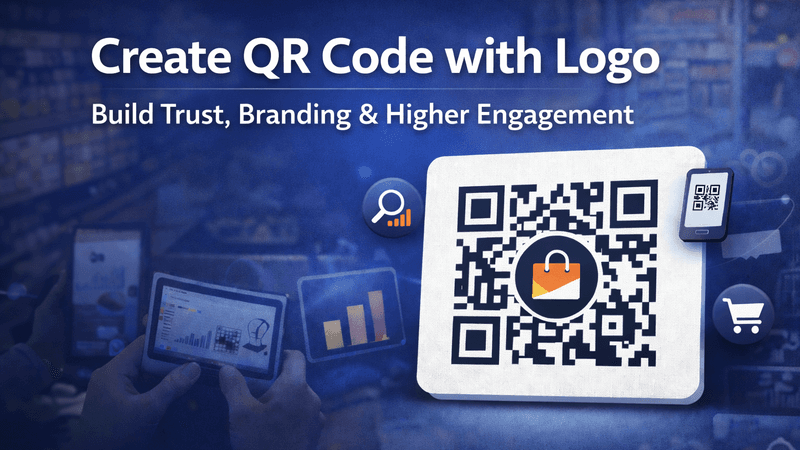
In the modern digital era, QR codes have become a powerful bridge between offline and online marketing. But a plain QR code is no longer enough. To truly stand out and gain user trust, businesses now prefer to create QR codes with logo. With QR Code Creator, you can easily design professional, branded QR codes that look premium and deliver higher scan rates.
Also Read: How Businesses Use QR Code Tracking to Increase Conversions
What Is a QR Code with Logo?
A QR Code with Logo is a customized QR code that includes your brand logo placed at the center. This makes the QR code visually appealing, instantly recognizable, and more trustworthy for users. Branded QR codes are widely used by businesses, marketers, educators, and creators to enhance visibility and engagement.
Also Read: Why Your Restaurant’s Paper Menu Is Costing You Money
Why Creating a QR Code with Logo Is Important
Users are more likely to scan a QR code when it looks professional and branded. A logo in your QR code:
- Builds brand recognition
- Increases scan confidence
- Improves click-through rates
- Enhances marketing credibility
Also Read: How to Create a QR Code That Actually Gets Scanned
Key Benefits of Using QR Code Creator
QR Code Creator is built to deliver speed, quality, and performance. Our platform allows you to create QR codes with logos effortlessly while ensuring perfect scan accuracy.
Top Features:
- ✔ Add your brand logo to QR codes
- ✔ High-resolution and HD quality downloads
- ✔ Fully customizable colors and styles
- ✔ Mobile-friendly and fast-scanning
- ✔ Works for URLs, videos, PDFs, social links & more
- ✔ No design or technical skills required
Also Read: How to Generate a QR Code for a YouTube Video (Step-by-Step Guide)
How to Create a QR Code with Logo Using QR Code Creator
Creating a branded QR code takes just a few seconds:
- Visit QR Code Creator
- Enter your content (website, video, app, or document)
- Upload your brand logo
- Customize colors and design
- Download your QR code in high resolution
That’s it—your professional QR code is ready to use anywhere.
Also Read: QR Codes for Education: Smarter Learning Made Simple
Best Use Cases for QR Codes with Logo
QR codes with logos are ideal for:
- Business cards & brochures
- Product packaging
- Restaurant menus
- Event tickets & banners
- Digital and print advertisements
- Educational materials
Also Read: How to Update Your Menu Without Reprinting Everything
Why QR Code Creator Is the Best Choice
Unlike basic QR generators, QR Code Creator focuses on branding, quality, and performance. Our QR codes are optimized for maximum scannability while maintaining an attractive, modern design. This makes them perfect for businesses that want real results, not just a QR code.
Also Read: How to Track Who’s Scanning Your QR Codes
SEO & Marketing Advantage
Branded QR codes improve user trust, which directly impacts engagement and conversions. When users trust what they scan, they are more likely to take action—visit your website, watch your video, or make a purchase.
Final Words
If you want to create a QR code with logo that looks professional, scans instantly, and strengthens your brand identity, QR Code Creator is the right solution. Create high-quality, branded QR codes in minutes and turn every scan into an opportunity.
👉 Start creating your branded QR Code today with QR Code Creator!
FAQs
- What is a QR Code with Logo?
A QR Code with Logo is a customized QR code that includes your brand logo in the center, making it more professional, recognizable, and trustworthy for users.
2. Can I create a QR code with logo for free?
Yes, with QR Code Creator, you can create QR codes with logos for free and download them in high-quality resolution.
3. Will adding a logo affect QR code scanning?
No. QR Code Creator ensures proper contrast and error correction so your QR code remains fully scannable even with a logo.
4. What file formats are available for download?
You can download your QR code in PNG, JPG, and high-resolution formats, suitable for both digital and print use.
5. Where can I use QR codes with logo?
Branded QR codes can be used on business cards, product packaging, flyers, posters, menus, websites, and social media campaigns.
6. Why should I use QR Code Creator?
QR Code Creator offers fast generation, logo integration, HD quality downloads, and easy customization—all in one user-friendly platform.